Baby Games for 1-3 Year Olds
Bebi Family: preschool learning games for kidsEducational
4.523.45K Reviews
- Version
- 7.01.54
- Installs
- 10.00M
- Age Rating
- Everyone
Screenshots
Our Review of Baby Games for 1-3 Year Olds
 Analysis by Appyee
I find toddler apps work best when they fit into family life rather than taking it over. Baby Games for 1-3 Year Olds is a preschool educational game from Bebi Family: preschool learning games for kids, and its appeal is easy to understand: short, colorful activities that a young child can explore with an adult nearby. On a shared phone or tablet, that can make it a useful option for a brief wait or a quiet moment at home, provided the grown-up sets the boundaries and stays involved.
A shared device calls for a little planning
When a device belongs to the household, the main question is not only whether a toddler can tap through the games, but how the app fits the device’s other uses. I’d open it before handing over the screen, check what the child can reach, and decide how long the activity is meant to last. That small routine makes it easier to keep a quick game from turning into an open-ended session.
The interface is aimed at very young children, so a child who cannot read can still respond to pictures and sounds. That helps during a shared-use moment, but it does not make the app a substitute for supervision. A toddler may be able to navigate the play area while still needing an adult to guide turn-taking, stop when it is time to move on, or help when a puzzle becomes frustrating.
Separate play from adult tasks
If the phone is also used for messages, calls, photos, or work, I would treat a toddler’s turn as a deliberately bounded activity. Handing over a device while you are distracted can make it harder to notice where a child has tapped or when they are ready to stop. The app’s simple design is helpful, but the household routine around it matters just as much.
Before a session, I’d also check the purchase and ad settings with the adult who manages the device. The game is free to download, with in-app purchases ranging from $4.99 to $49.99 per item, so it is sensible to keep purchase approval in adult hands. The available age classification is Everyone, but that label is not a recommendation to leave a toddler alone with a screen; I see it as a basic content signal, not a parenting plan.
Sharing turns without expecting a family system
For siblings or cousins using one device, a simple turn-taking routine is more realistic than expecting the app to coordinate them. I’d let one child choose an activity, then give the other a turn after a clear stopping point, such as finishing a puzzle. That keeps the interaction social and gives an adult a natural chance to ask what the child noticed, instead of treating the game as a silent babysitter.
This approach also helps when the children are at different stages. A younger toddler may enjoy tapping and listening, while an older preschooler may want to name colors or guess an animal sound. I would not assume every activity will suit every child equally; it is better to watch which ones hold attention and shift to something else when a child gets restless.
What the age range means in practice
The title points to ages one to three, a period when attention, coordination, and language vary widely from child to child. In my view, the best use is exploratory play with an adult close by: name the color on screen, imitate an animal sound, or let the child try a simple tap-and-match action. Those small conversations can make the activity more meaningful than simply passing the device over.
I would skip it for a child who becomes upset when screen time ends, or for a parent looking for a structured lesson plan with measurable progress. It is a collection of accessible games, not a replacement for books, hands-on toys, outdoor play, or interaction with a caregiver. Families who want a screen-free activity, or who need a tool built around formal instruction, will be better served by something else.
Where it sits among toddler apps
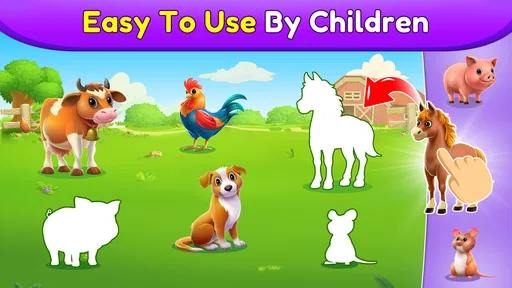
Compared with a single-purpose puzzle app, this game offers several kinds of play in one place, including animal sounds, simple puzzles, and a piano activity. That variety can be convenient when a child tires of one task, though it also means the experience is less focused than an app built to practice one specific skill. Against videos, the interactive format invites the child to make choices and respond, but it still deserves the same limits you would set for other screen entertainment.
A practical tip is to use the app as a short shared activity rather than saving it only for moments when a child is already bored or upset. A calm introduction gives you a chance to see which games make sense to your child and how easily they move on afterward. If the child gets stuck, demonstrate once, then let them try; doing every action for them can turn an interactive game into something they merely watch.
Its listing shows a 4.6 average from around 116,000 ratings, and it has passed 5 million installs. That suggests a broad audience, but popularity does not tell me whether the app will suit a particular child’s temperament or your household rules. I would judge it by a few supervised sessions rather than by its reach or rating alone.
Ever tried to keep a toddler entertained for more than five minutes? If you have, you'll know it's no easy feat. Enter Baby Games for 1-3 Year Olds, the app that promises to be your secret weapon in the battle against toddler boredom. I took it for a spin and here's my take on it.
Perfect for Little Fingers
The app is designed specifically for the littlest tech users, and it shows. From the moment you open the app, you're greeted with a vibrant, colorful interface that instantly grabs attention. It's like a candy store for the eyes! The developers have done a fantastic job making the interface simple and intuitive. No reading required here—perfect for those who are still mastering their ABCs.
Game Variety
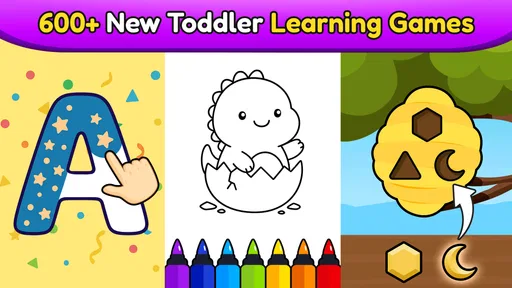
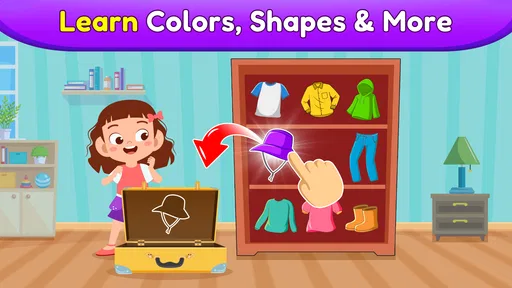
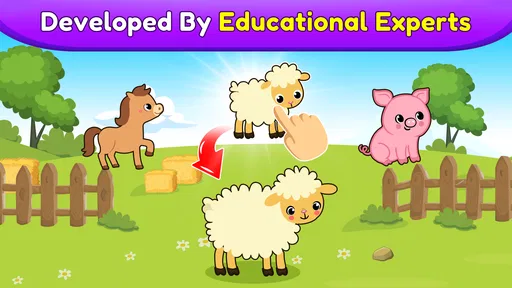
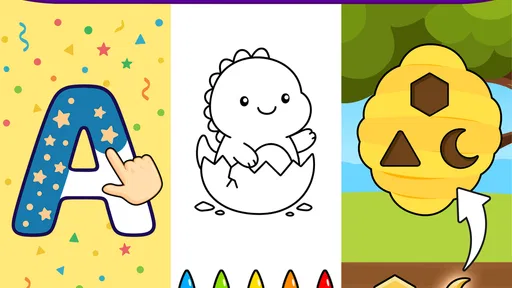
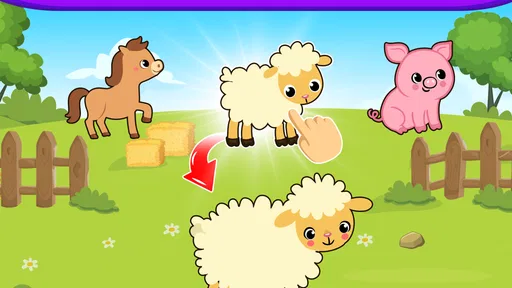
One of the first things I noticed was the variety of games available. There's everything from animal sounds to simple puzzles and even a piano game that lets your little one unleash their inner Mozart. What I loved the most was the balance between education and fun. The games subtly introduce concepts like shapes, colors, and numbers, making learning a blast.
Each game is crafted to fit short attention spans, with quick sessions that leave kids wanting more. And, let's be honest, anything that keeps a toddler occupied for a few precious minutes is a win in my book!
User-Friendly for Parents
Now, I know what you're thinking—"But what about the ads?" Fear not, dear parent! While there are ads, they're not intrusive. There's also an option to purchase an ad-free version, which is worth considering if you want uninterrupted playtime. The app also includes parental controls, ensuring your little one doesn’t accidentally make any purchases or access content they shouldn’t.
Another feature I appreciated was the ability to lock the screen. This prevents those accidental app exits and keeps the gameplay seamless. Plus, it's super easy to navigate, so no need to worry about spending your precious free time figuring out how it works.
Educational Value
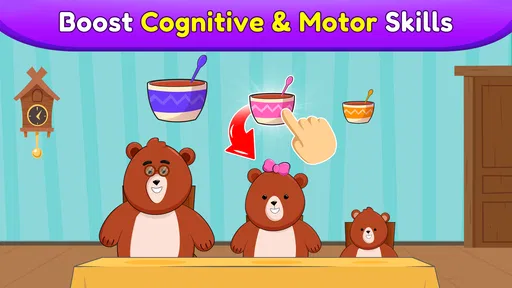
What sets this app apart is its focus on educational development. Each game is designed to enhance motor skills, cognitive abilities, and creativity. The use of bright colors and fun sounds helps in developing sensory skills, while the interactive elements encourage problem-solving and critical thinking.
For instance, the puzzle games are simple yet challenging enough to keep little minds engaged. The animal sound games not only entertain but also help in language development by associating sounds with animals. It's a nice touch that transforms screen time into a learning experience.
Real User Feedback
I took a peek at some user reviews, and it's clear that parents love this app. Many rave about how it keeps their kids occupied during long car rides or while waiting for appointments. Some even mentioned that the games have become a part of their daily routine, which is quite the endorsement!
However, a few users noted they'd like more frequent updates with new games to keep the content fresh. It's a fair point, and something the developers might want to consider in future versions.
Final Thoughts
In a world filled with apps that promise the moon and stars, the game delivers on its promise of engaging, educational fun. It's a handy tool for parents looking to introduce their toddlers to the world of apps without the worry of overstimulation or inappropriate content.
It is free to download, and the current version is 7.01.39, with Android 6.0 as the minimum operating system requirement. That makes it an option for families with a compatible Android device, though I would check the device’s settings and available storage before installing any new game. The ad-free option is useful if interruptions are a concern, but I would weigh that purchase against how often the child actually uses the app; a free trial of the routine, so to speak, can tell you more than buying it preemptively.
One everyday use that makes sense to me is a waiting-room pause: an adult chooses a short activity, sits beside the child, and keeps the phone in hand when the turn is over. On a long car trip, I would use the same principle only when a passenger can supervise; the driver should never be the one managing the game. These are small practical distinctions, but they help keep an educational game in its proper role—as one option for a brief shared moment, not the plan for every difficult stretch of the day.
There are trade-offs worth keeping in mind. The bright presentation may catch a toddler’s eye, but a child who is sensitive to busy colors or sound may prefer a quieter toy or a book. Variety gives parents a way to change activities, yet it can also make it easy for a child to hop rapidly from one game to another. I’d pick a single activity together and stop at a natural point instead of treating more options as a reason to extend screen time.
For families deciding whether the game is suitable, the useful test is how the child behaves both during and after a session. If they enjoy matching, listening, or experimenting and can hand the device back without a major struggle, it may fit occasional use. If it regularly leads to conflict, if you want detailed teaching guidance, or if your household prefers no screens for toddlers, skipping it is a reasonable choice. The game does not need to become a daily habit to be worthwhile.
The title’s age range is a helpful starting point, not a promise that every one-, two-, or three-year-old will respond the same way. I’d stay close, keep the sound at a comfortable level, and treat a child’s interest as the guide: curiosity is a good sign, while frustration or passive staring is a cue to switch to a real-world activity. A quick conversation about what appears on screen can also bridge play into the room around you—spot a color on a toy, or make the animal sound together.
Whether it’s for a quick distraction or a fun learning session, this app is a solid choice for the little ones. So, give it a try and watch your toddler’s face light up with joy. Trust me, you won't regret it!
A realistic household verdict
My recommendation is measured: this is a convenient collection of toddler-friendly activities, not a substitute for a caregiver’s attention or a guaranteed learning program. It suits adults who want several simple interactive options on a compatible device and are comfortable supervising a young child’s screen use. The free download lowers the commitment, while the in-app purchases mean adults should make spending decisions themselves rather than leaving that choice to a toddler.
In a shared household, I’d keep the routine uncomplicated: an adult opens the game, chooses one activity, stays nearby, and ends the turn clearly. That works better than relying on a child to navigate away or negotiate time independently. If your priority is a narrow skill practice, a screen-free activity, or a calmer experience, another option may fit better. For occasional, supervised play, though, I can see why this educational game has found an audience.
Privacy and Permissions
See what permissions an app requests and how it handles your data.
- Photos/Media/Files
- read the contents of your USB storage, modify or delete the contents of your USB storage
- Storage
- read the contents of your USB storage, modify or delete the contents of your USB storage
- Wi-Fi connection information
- view Wi-Fi connections
- Other
- view network connections, full network access, control vibration, prevent device from sleeping
Verdict
Strengths of Baby Games for 1-3 Year Olds
- Engaging, colorful graphics for toddlers.
- Simple interface easy for little hands.
- Educational content with fun activities.
- Parental controls for safe play.
- No in-app purchases or ads.
Limitations of Baby Games for 1-3 Year Olds
- Limited variety in game types.
- Requires frequent updates.
- May not work offline.
- Some features need strong internet.
- Can consume significant battery life.
Other Releases by Bebi Family: preschool learning games for kids
View All
Baby Puzzle Games for Toddlers
Educational4.7

Bebi: Baby Games for 2-4y kids
Educational4.6

ABC Games: Phonics & Tracing
Educational4.7

Coloring games for kids: 2-5 y
Educational4.3
Similar Picks in This Category
View All
Little Panda Policeman
BabyBus4.0

Monster Trucks Game for Kids 2
Raz Games4.1

Little Panda's Chinese Recipes
BabyBus4.4

Little Panda's Restaurant
BabyBus4.4

Little Panda's Ice Cream Games
BabyBus4.3

Baby Panda Care
BabyBus3.8
Frequently Asked Questions
What types of games are included in Baby Games for 1-3 Year Olds?
The app offers a variety of interactive games designed for toddlers. These include puzzles, shape sorting, color recognition, and simple matching games. Each activity is crafted to enhance cognitive development and motor skills in young children while providing a fun and engaging experience.
Is Baby Games for 1-3 Year Olds safe for my child to use?
Yes, the app is specifically designed for young children and adheres to strict safety guidelines. It features a child-friendly interface, no third-party ads, and age-appropriate content. Parents can feel confident that their child is engaging in a safe and secure digital environment.
Does the app require an internet connection to play?
No, Baby Games for 1-3 Year Olds can be played offline. Once downloaded, all the games are accessible without an internet connection, making it convenient for use during travel or in areas with limited connectivity. This feature ensures uninterrupted playtime for your child.
Are there any in-app purchases or subscriptions required?
The app offers a free version with limited games. However, to unlock all features and access additional content, there may be in-app purchases or a subscription option available. It's advisable for parents to review these options to make informed decisions based on their needs.
How does Baby Games for 1-3 Year Olds support my child's development?
The games are designed to promote early learning and development. They help improve fine motor skills, problem-solving abilities, and hand-eye coordination. Additionally, the activities encourage creativity and imagination, fostering a love for learning in a playful and interactive way.
Play our best games!


